Bring your accounts
Save your current CLI login, or add another account through the official browser sign-in.
See your limits. Know what resets next. Switch between Claude Code and Codex accounts from one native Mac app.
Free and open source · macOS 14+ · Apple silicon & Intel
v0.6.1 · Not notarized. First-open instructions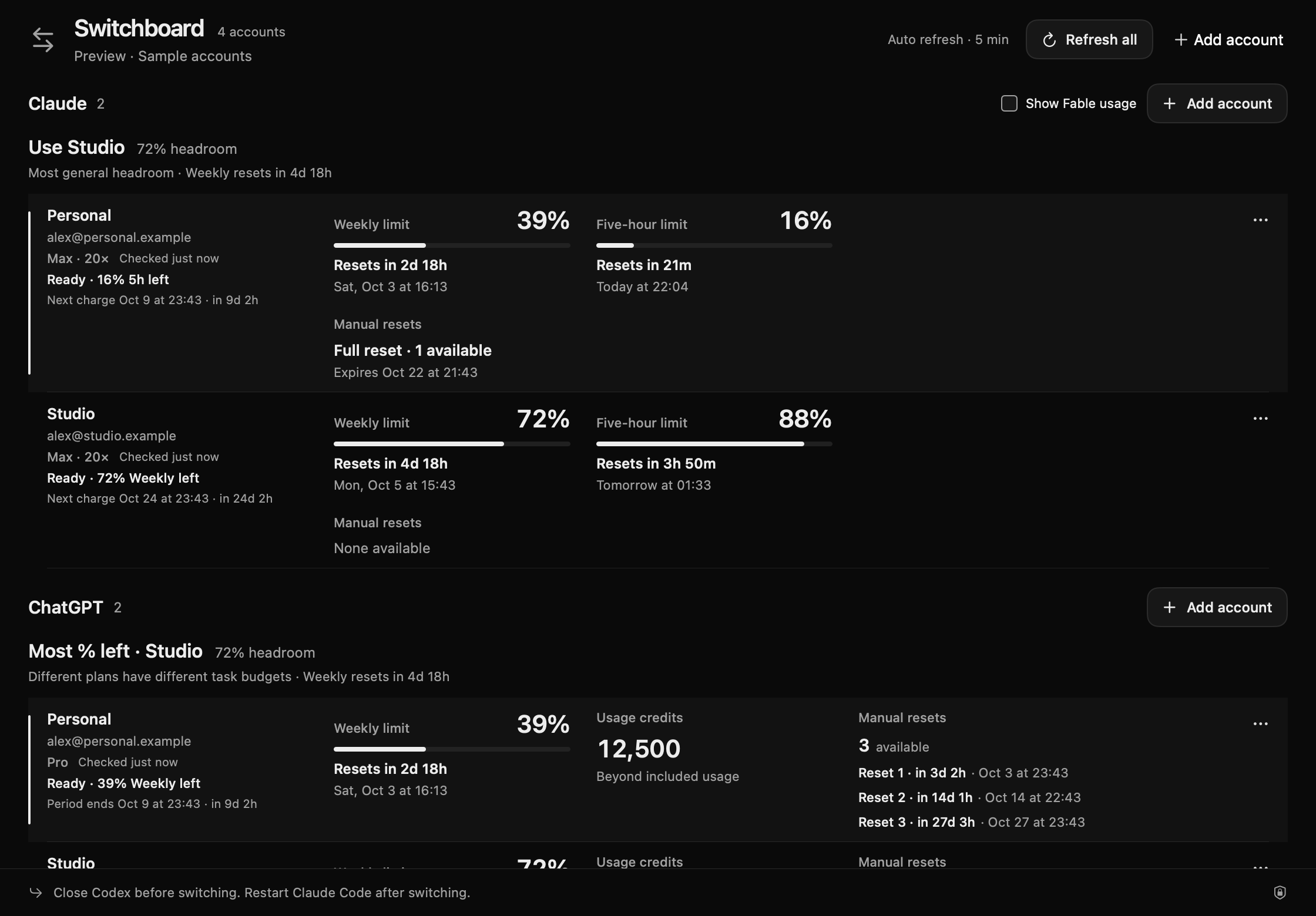
Use the subscriptions you already have.
No proxy to
configure. No new account to create.
Save your current CLI login, or add another account through the official browser sign-in.
Compare remaining allowance, plan tiers, and exact reset times without opening multiple settings pages.
Close that provider’s CLI sessions. Select an account in Switchboard, then start a fresh session.
Quota reset countdowns and exact local times sit beside your accounts. Claude billing dates can be connected separately. Codex subscription periods appear when the provider supplies them.
Missing limits stay hidden after a successful check. Failed checks keep their last snapshot with a warning. Codex reset credits include their reported count and expiry dates.
Saved login snapshots live in macOS Keychain. Usage checks go through the official CLIs. There is no Switchboard server, account service, or telemetry in the app.
SwiftUI, native signed updates, and an MIT license. Build it yourself, inspect the account-switching code, or make it yours.
Read the source
One universal download for Apple silicon and Intel.
Requires
macOS Sonoma 14 or later.
Open the DMG and drag Switchboard into Applications.
This release is ad hoc signed, not Apple-notarized. Try opening it, then use System Settings → Privacy & Security → Open Anyway if you trust the download. Apple’s instructions ↗
Install Claude Code or Codex for the provider you use. In Switchboard, choose Add account → Save current login, or sign in through the app.
Give this prompt to your coding agent. It can download, verify, and install the app. You complete any macOS approvals and account sign-ins.
Read the agent instructionsInstall Switchboard on this Mac. Read https://switchboard.quasa0.com/install.md and follow the installation steps. Verify the download checksum. Preserve my existing accounts and credentials.
Also available as llms.txt. No remote script to pipe into a shell.
No. It selects the login used by new Claude Code or Codex CLI sessions. Your browser and ChatGPT app stay signed into their own accounts. The ChatGPT section shows Codex allowances, not ChatGPT message quotas.
Close the provider’s sessions before switching. Running clients can keep credentials in memory and refresh tokens. Start a new session afterward. Switchboard does not kill your sessions or move an in-flight conversation.
Saved snapshots use macOS Keychain. Account metadata stays in Application Support with owner-only permissions. Isolated CLI profiles can also contain credential files while checking usage. Nothing is uploaded to a Switchboard service. Read the storage details.
Switchboard reads the plan and limits your CLI reports. Claude requires Keychain-based login. Codex requires its file credential store. API-key logins and Codex keyring, auto, and ephemeral stores are not supported. Internal provider interfaces can change.
Yes. You need macOS 14+ and Swift 5.10 or newer through Xcode
Command Line Tools. Clone the repository and run
./scripts/install.sh.
Build instructions ↗
Your subscriptions, ready when you need them.
Get Switchboard